ADHD-friendly planning
Time blocking with ADHD: a flexible way to plan your day
In this article
- What is time blocking?
- Why a rigid timetable can be difficult to maintain
- Compare three ways to plan the same afternoon
- Begin with one useful block
- Include the parts around the task
- Use a clear start cue
- Leave room for the day to change
- What to do when you get stuck inside a block
- A flexible time-blocking worksheet
- Keep a plan for low-capacity days
- What research supports, and what remains a practical suggestion
- Common questions about time blocking with ADHD
- Sources and further reading
- Related reading
Time blocking with ADHD can mean giving work a broad window rather than assigning every task an exact start time. Keep appointments fixed, allow for preparation and transitions, and choose a clear action for each flexible block. If the schedule repeatedly breaks, reduce the amount you've committed to or switch some work back to a simple list.
The method is worth considering when tasks keep disappearing behind appointments or you struggle to see what the day can hold. It isn't a requirement, and it isn't an ADHD treatment. The useful question is whether reserving time makes your work easier to start and adjust, not whether you can maintain a calendar that looks perfectly organized.
What is time blocking?
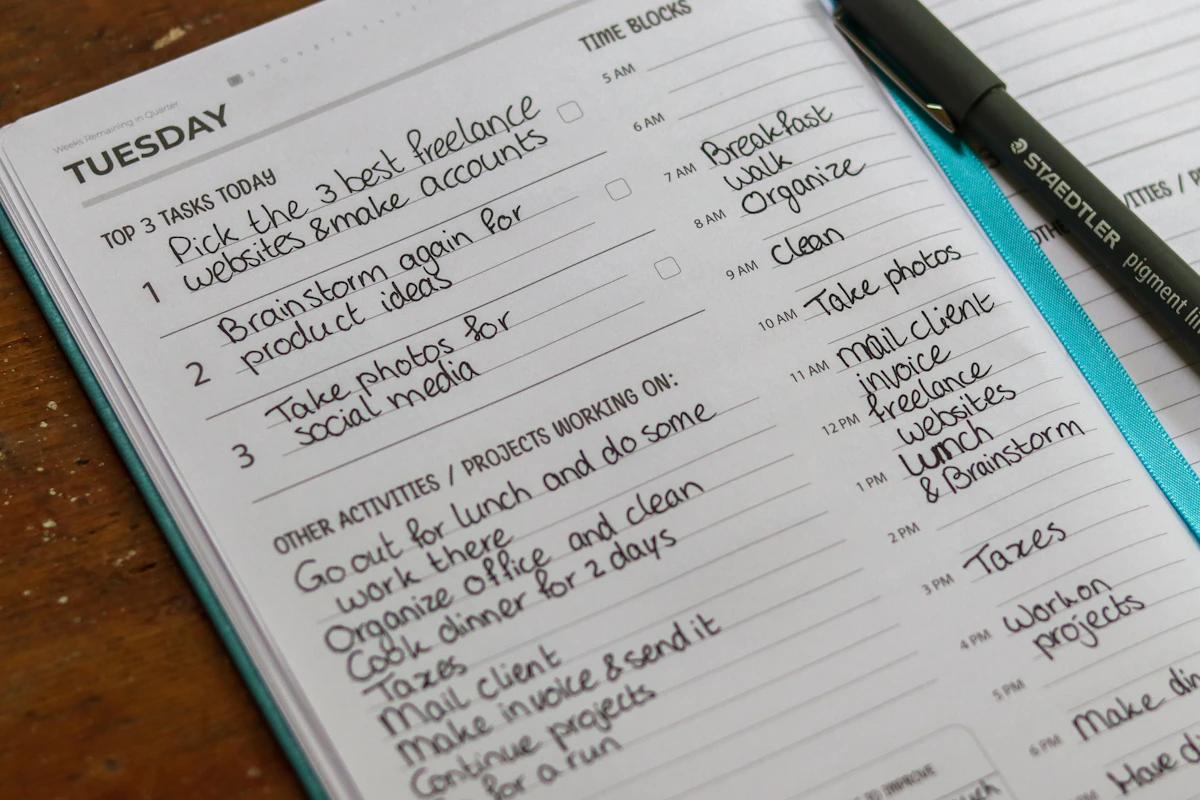
Time blocking means setting aside periods for particular work or activities. A calendar might show an appointment at ten, a writing session before lunch, and errands in the afternoon. The blocks make intended uses of time visible instead of leaving all flexible work on an undated list.
A block can name an outcome, a task, or a category. “Draft the opening section” is specific. “Admin” is broad. Both can work, but a broad label needs a decision about what happens inside it. Otherwise, you may arrive at the block and spend it choosing from the same overwhelming list.
You can use exact times, broad parts of the day, or a mixture. A meeting belongs at its actual time. A task that can happen anytime during the afternoon may not need a start minute. The level of precision should reflect the real constraint, not the number of time slots your app offers.
Time blocking is also different from tracking how you spent time. A plan describes an intention; a record describes what happened. You can compare them if that helps, but you don't need to log every minute to use a block as a reminder of what you intended to work on.
Why a rigid timetable can be difficult to maintain
A precise schedule makes assumptions about task duration, transitions, energy, and interruptions. If those assumptions are wrong, later blocks can quickly stop matching the day. The problem isn't always a lack of commitment. The schedule may simply contain more certainty than the situation allows.
ADHD can involve difficulties with organization, time management, and task completion, as described by NIMH. That doesn't mean every person with ADHD has the same experience of schedules. It does mean a planning method should allow adjustment rather than treating deviation as a character flaw.
Some people find exact times useful because they make boundaries visible. Others find repeated calendar edits distracting or discouraging. You may also prefer different methods for different work. An appointment-heavy day and a quiet project day don't need identical planning rules.
Before abandoning the method, identify what is breaking. Are blocks too short? Is setup time missing? Are tasks still vague? Does a single delay make you feel the whole plan is unusable? Those observations point to specific changes rather than a verdict that you're bad at planning.
Compare three ways to plan the same afternoon
Imagine you have a fixed call at three, an invoice to send, a document to draft, and groceries to collect. You expect to be available from one until five, but you also need a break and may receive a request from a colleague. Here's how the same work could be represented.
Exact-time blocks: one to one-thirty for the invoice, one-thirty to two-thirty for drafting, then preparation for the call. After the call, collect groceries if travel and opening hours allow. This version makes the intended sequence explicit but needs revision if one activity runs long.
Broad windows: before the call, send the invoice and draft the document's outline; after the call, collect groceries. The fixed appointment remains visible, but you choose the order of flexible work within each window. This reduces timing precision while still giving tasks a place.
A task list beside the calendar: keep the call on the calendar and list the invoice, outline, and groceries separately. Check the remaining time whenever you choose the next action. This is simpler to maintain but asks you to make more of the scheduling decision in the moment.
None is automatically the best. If you regularly forget the flexible list, broad windows may help. If exact blocks prevent you from drifting into unrelated work, they may be useful. If calendar maintenance takes over, a shorter list might be the better starting point. Try the format against a real problem.
Begin with one useful block
Instead of filling the week, choose a period where reserving time could help. Perhaps paperwork is always pushed to the evening, or a project never receives attention between messages. Name one outcome for that period and check that you have the materials and conditions to work on it.
“Handle paperwork” may still be too broad. “Complete the address section and identify the missing documents” gives the block a clearer purpose. You don't need to finish the entire process for the session to produce something useful. The outcome should be plausible for the time available.
Choose a block length as an experiment. Don't assume a particular interval is optimal because it's popular. Consider the setup needed, how easily the work can pause, and the next fixed commitment. If you don't know how long the task takes, make the first block an exploration with a clear stopping point.
At the end, ask whether the reserved time helped you begin and what you learned about the task. You may need a larger block, a smaller action, or a different time of day. That's useful information for the next attempt, not a reason to recreate the whole calendar.
Include the parts around the task
A task rarely begins the instant the clock changes. You may need to find a file, gather materials, prepare a workspace, or close the previous activity. If the schedule leaves these out, it can appear more spacious than the day actually is.
Write down important setup when it repeatedly causes delays. “Before the call: open the agenda and the figures” can be enough. For an errand, include travel and anything you need to bring. For a household task, make sure the required item is available before assigning the work to a small gap.
Allow time to stop as well. Saving a file, recording the next action, and putting materials away can help the transition. If you tend to continue because a task feels unfinished, define what you're aiming to complete in this block before beginning it.
The goal isn't to schedule every transition to the minute. It's to avoid planning as though transitions cost nothing. If a block routinely overruns by the time needed to pack up, include that reality next time rather than repeatedly borrowing from the next activity.
Use a clear start cue
A calendar block can show intention without drawing your attention at the right moment. Decide how you'll notice it. That could be checking the plan after a meeting, seeing a visible daily view, or using a reminder when starting at a particular time matters.
Make the cue lead to an action. “Writing” may require another round of decisions. “Open the draft and finish the three bullet-point outline” gives you somewhere to begin. Keep supporting links or notes close enough that finding them doesn't become the first substantial task.
If a notification is useful, check whether it arrives when you can respond. A cue during a commute or another appointment may be dismissed for good reasons. Change the timing or use a transition-based check instead of interpreting every dismissal as a motivation problem.
You can also plan what happens if you miss the cue. “If the morning block doesn't happen, review the next action after lunch” is more useful than assuming the task must either happen perfectly or wait until tomorrow. The fallback should be realistic, not an extra obligation stacked on top.
Leicestershire Partnership NHS Trust suggests external time cues and breaking work into smaller steps. Those are practical supports to try; they don't validate one particular time-block length.
Leave room for the day to change
Don't allocate every available period before you know what the day will ask of you. Some work is responsive. Some tasks are unfamiliar. Some appointments run late. Leaving space can make a plan easier to adapt without repeatedly moving every block that follows.
How much space to leave depends on your circumstances. A day with frequent incoming requests needs a different plan from a day set aside for independent work. Look at recent experience rather than importing somebody else's buffer percentage as a rule.
Keep optional work identifiable. If a block opens up, you'll know what could fit. If it doesn't, the optional task hasn't become a broken promise. This distinction can make it easier to protect real commitments while still leaving room for progress on things you care about.
When a block overruns, pause long enough to choose. Continue deliberately, reduce the scope, or leave a restart note and move on. Automatically pushing every later block backwards can create a schedule that no longer respects fixed appointments, breaks, or the end of your working day.
Our guide to planning a day with interruptions shows how to revise a crowded afternoon without rewriting the whole day.
What to do when you get stuck inside a block
First identify the obstacle. Are you missing information, unsure what done means, reluctant to make a decision, or trying to work under unsuitable conditions? The answer changes the next step. More time in the same block won't necessarily solve a missing decision.
If the task is unclear, replace the current goal with clarification. Write the question you need answered or identify the next visible action. If you lack information, send the request and mark the work as waiting. Use the remaining time for something that is genuinely available rather than pretending the block's original outcome is still possible.
If the scope is too large, choose a useful piece. For a presentation, that might be the opening example or the list of decisions needed. For household administration, it might be one form rather than an entire folder. Keep the piece connected to the larger purpose so that fragmentation doesn't become busywork.
If you need a break, take one rather than turning the block into a test of endurance. Planning is meant to support the work. It isn't a requirement to remain seated until a rectangle on the calendar ends, regardless of whether useful work is happening.
When the problem is losing your place after a switch, a restart note may be more useful than rearranging the remaining blocks.
A flexible time-blocking worksheet
For each block you want to try, answer these questions briefly. You can leave some answers as rough estimates. The worksheet is designed to expose assumptions before they become a crowded timetable.
- Purpose: what useful result am I aiming for?
- Next action: what will I physically do first?
- Conditions: what people, tools, information, or location do I need?
- Window: where might this fit around fixed commitments?
- Transition: what do I need before starting and before stopping?
- Fallback: what will change if the block starts late or gets interrupted?
- Review: what did I learn about the task or timing?
For example, the purpose could be to send a clear question to an accountant. The first action is finding the relevant letter. The condition is access to the document folder. The window is after lunch. The fallback is to photograph the letter and save the question draft if you run out of time.
That is less grand than blocking an afternoon called “Sort finances”, but it may be more useful. A good block has enough detail to guide the start and enough flexibility to accommodate the actual work. It doesn't have to solve the entire topic in one session.
Keep a plan for low-capacity days
A day with less capacity doesn't need a full timetable compressed into smaller boxes. Identify what is genuinely necessary, reduce optional work, and leave more room between commitments. If other people are affected, communicate the change rather than silently carrying an impossible plan.
You might keep only the fixed appointments and one short administrative block. Or you might replace time blocks with a three-item list of essential actions. The format can change while the underlying job remains the same: make important commitments visible and choose a feasible next step.
Avoid using catch-up time as punishment. Moving everything into the evening can create a plan that never has an endpoint. Decide what can wait until another day, what can be reduced, and what requires help. The calendar should reflect capacity rather than conceal its limits.
For a broader approach to anchors and fallback routines, see our guide to an ADHD-friendly daily routine. A routine can support recurring transitions while time blocks help place particular work. You don't need to use both in elaborate forms.
You can pair this with a shorter ADHD-friendly routine. Keep the cue and reduce what follows it, so a difficult day doesn't require inventing a new system.
What research supports, and what remains a practical suggestion
A meta-analysis of time management reports associations with performance and wellbeing. It doesn't validate this particular flexible-blocking worksheet as an ADHD intervention. The examples here are ways to apply planning principles, not a claim of clinical effectiveness.
ADHD support may involve treatments and adjustments beyond personal planning. The NHS guidance for adults describes professional support options. If planning difficulties are causing persistent problems in daily life, discussing them with a qualified professional can be more useful than continually changing apps.
Evaluate the method by ordinary outcomes: can you see what needs attention, start more clearly, and adjust without losing important work? You don't need to prove that a method is universally best to decide whether it is useful for you. Equally, you don't need to keep using it if it mainly adds maintenance.
Common questions about time blocking with ADHD
Should I use thirty-minute or hour-long blocks?
Start with the work rather than a standard interval. A short call, a complex draft, and a household project need different conditions. Try a manageable window, note what happened, and adjust. A block length is a planning choice, not a measurement of your attention or worth.
Is it better to block tasks or categories?
Task blocks can make starting clearer. Category blocks can offer flexibility when you have several similar actions. If you use a category such as “admin”, keep a short list of suitable tasks nearby. Otherwise, choosing what belongs in the block can consume the time you reserved.
What if I ignore my calendar?
Check whether the calendar is visible at a useful moment and whether it contains realistic commitments. A daily review cue may help more than additional notifications. If you consistently prefer a list, try using the calendar only for fixed events and keep flexible work in a simpler view.
Can I do this without a calendar app?
Yes. Draw broad windows on paper or use headings for parts of the day. Exact times are useful where real timing matters, but flexible tasks can live under a window. The important part is seeing how the work fits around commitments, not using a particular interface.
How can I try broad windows in Interval?
Type selected tasks into Morning, Afternoon, or Evening and keep unplaced work in Inbox. Add specific timing when you need it. Try planning in broad parts of the day, then adjust the amount of structure based on whether it makes your next action clearer.
A time block should give work a place, not turn the day into a fragile sequence. Keep the parts that help you begin, and leave enough room to respond to the day you're actually having.
Sources and further reading
- National Institute of Mental Health: ADHD in adultsClinical background on adult ADHD, assessment, and support.
- Leicestershire Partnership NHS Trust: everyday ADHD strategiesPractical suggestions for external reminders, task size, and time cues.
- Aeon, Faber & Panaccio: Does time management work?Open-access meta-analysis in PLOS ONE; not a test of Interval or these templates.
- NHS: ADHD in adultsInformation about symptoms, getting help, and available support.