Planning habits
Calendar vs. To-Do List: What Should Go Where?
In this article
- What a calendar is good at
- What a to-do list is good at
- What belongs in notes instead
- Four everyday examples
- Where should deadlines go?
- Should you put tasks on your calendar?
- A worked example: organizing a Thursday
- Avoid making the calendar a wish list
- Avoid making the task list a second calendar
- What if you use paper and digital tools together?
- Keep reminders separate from the information itself
- A simple decision process
- Review the connection, not just each list
- Calendar and task-list questions
- Sources and further reading
- Related reading
The calendar is full, but it doesn't show everything you need to do. The task list is long, but it doesn't tell you when you're already committed. So you start putting everything in both places, and now updating the plan is another task.
Use a calendar for commitments tied to a particular time, a to-do list for actions you can choose when to do, and notes for information or ideas. You can reserve calendar time for a task without turning every possible action into an appointment. The important distinction is between a fixed commitment and a flexible plan.
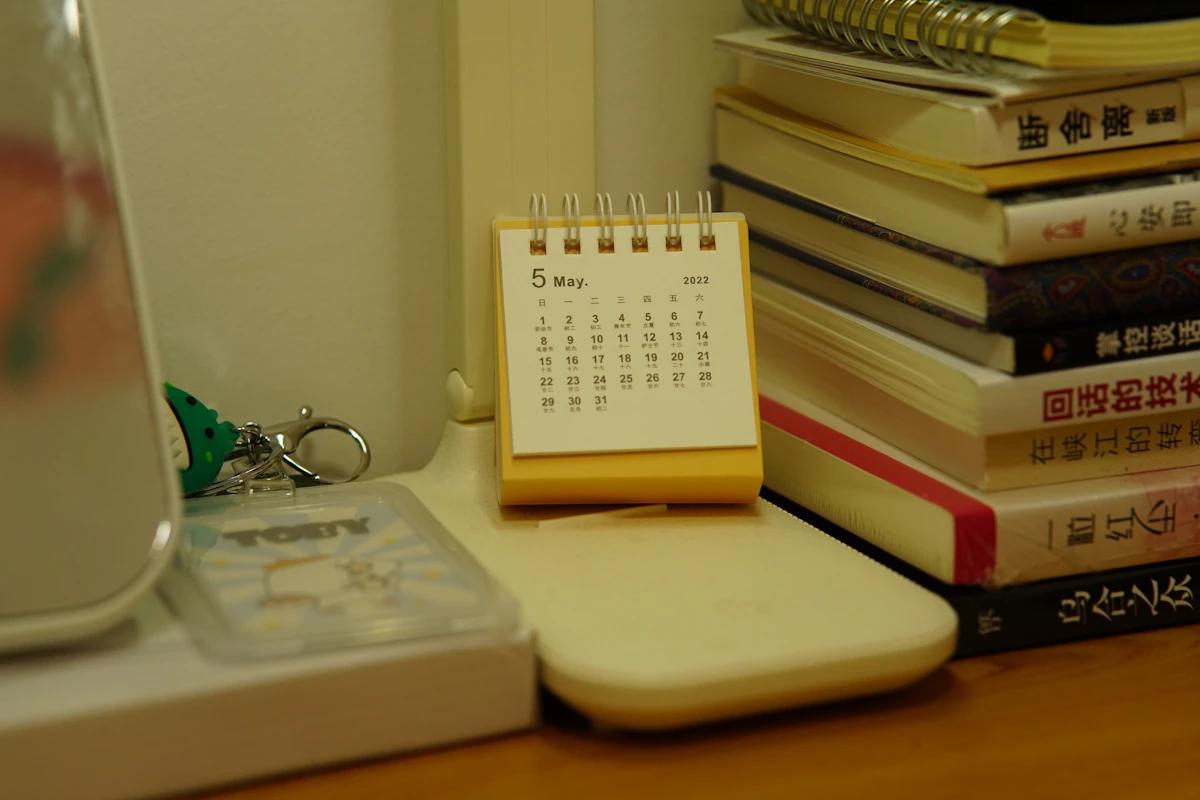
Here's a practical way to decide what goes where, using an appointment, an errand, an idea, and an optional task. It works with paper, digital tools, or a simple combination.
What a calendar is good at
A calendar answers “When am I committed?” It shows appointments, meetings, classes, shifts, and other events with a meaningful time or date. It also helps you see conflicts before agreeing to something new.
An appointment at 2:00 belongs on the calendar because showing up at 4:00 isn't equivalent. A train departure, a school event, and a scheduled call have the same quality. Their timing is part of the commitment.
Calendars can also hold deadlines and reserved work periods, but make their meaning clear. A deadline is the latest acceptable point for an outcome. A work period is an opportunity to make progress. Neither should be confused with a meeting that another person expects you to attend.
If you need help adding events or reminders, Apple's Calendar support guide explains the platform's controls. The planning distinction matters regardless of which calendar you use.
What a to-do list is good at
A task list answers “What actions are available or needed?” It can hold a call to make, a document to draft, an item to return, or a question to ask. Some tasks have deadlines; many don't require an exact time.
“Buy printer paper” is a task. You might do it during an errand trip, order it online, or ask someone who is already going to the shop. Scheduling it at 11:17 on Tuesday adds precision without necessarily adding usefulness.
A task needs an action. “Printer” is a reminder of a topic, but it doesn't tell you whether to buy paper, troubleshoot a fault, or replace it. Clarify the action before deciding where to schedule it.
The Getting Things Done explanation of its workflow distinguishes capture, clarification, organization, and action. One practical lesson is that writing something down is only the first step; you still need to decide what kind of thing it is.
What belongs in notes instead
Ideas, reference material, meeting context, and possibilities don't all need to become tasks. “A weekend in Lisbon might be nice” is an idea until you decide to investigate or arrange it. Treating every idea as a commitment can make a list feel permanently overdue.
Keep the useful information in a note with a recognizable title. If an action emerges, create that action and keep the relevant context nearby. “Compare travel dates” can link to the trip note without copying the entire note into the task.
For a meeting, the appointment belongs on the calendar, preparation actions belong on the list, and the agenda or discussion notes belong in a note. These aren't duplicates; they serve different purposes.
Our guide to organizing notes explains how titles and context make information easier to find. The aim is a clear route from commitment to action to reference, not a different tool for every category.
Four everyday examples
An appointment
Put the appointment on the calendar with its correct time, location, and useful joining details. Add travel or preparation time if those need protection. The appointment reminder alone may not tell you when to begin getting ready.
Create a separate task only if there's an action before the appointment: fill in a form, gather documents, or send questions. Put the questions themselves in a note. You don't need a duplicate task that merely says “attend appointment” unless it serves a specific reminder need.
An errand
Put “return the parcel” on the task list with the return deadline if one exists. Check the shop's opening hours and choose a realistic opportunity. If someone else is collecting it at a fixed time, that arrangement becomes a calendar commitment.
The deadline and the planned errand time aren't the same. Keeping both meanings clear prevents the common mistake of discovering the return window only on the day it closes.
An idea
Capture “try a balcony herb garden” in a note or ideas list. It doesn't need a due date. If you decide to explore it, create a small task such as checking sunlight and available space before buying supplies.
You can review ideas occasionally without making them all active projects. An idea is allowed to remain an idea or be removed later.
An optional task
“Reorganize the bookshelf” can stay on a later list until you choose it. If you enjoy it and want to spend Saturday morning doing it, reserve that time. But label it as a flexible plan if you're willing to change it.
The calendar should tell you what is truly fixed and what you chose provisionally. Otherwise an optional home project can look as compulsory as a medical appointment.
Where should deadlines go?
A real deadline needs to be visible somewhere you'll reliably check. You might show it on the calendar, attach it to the task, or use an integrated system that displays the same information in both views.
Avoid manually maintaining two conflicting deadlines. If you use separate tools, choose which one is authoritative and update the other deliberately when a date changes. A shared project deadline may need to remain in the team's agreed system.
Plan the work before the deadline. “Submit application Friday” doesn't account for obtaining a reference, writing answers, or checking requirements. Work backward to identify the earlier actions and waiting periods.
If the distinction between the project and its actions is unclear, breaking down a big task can help. A calendar date describes when the result is needed, not how the result will happen.
Should you put tasks on your calendar?
Yes, when reserving time helps you make room for the work. A task list alone can imply that an unlimited amount fits into a day. A work block makes the capacity decision visible.
But avoid scheduling every small action just to create a complete-looking day. Moving dozens of missed blocks can become maintenance that doesn't help you choose. Familiar flexible tasks may work better in a short daily list or broad part of the day.
For reserved work, specify the intended result. “Draft the introduction” is more useful than “work”. Keep the block adjustable unless there is a real reason its time is fixed.
The WashU time-management guidance emphasizes realistic planning rather than one universal approach. Our guide to flexible time blocking with ADHD compares more precise blocks with broader periods.
A worked example: organizing a Thursday
Imagine Thursday includes a 10:00 video meeting, a 3:30 appointment across town, and several possible tasks. You need to prepare two questions for the meeting, draft a short report, buy groceries, and send a birthday message.
The two appointments go on the calendar. You include appropriate preparation and travel around the afternoon appointment. That shows the actual boundaries of the day before you select the report work.
The questions become a short task before ten, with their content in the meeting note. The report gets a defined work opportunity after the meeting. Groceries stay as a task with a chosen errand opportunity if it fits the route and your needs.
The birthday message has a meaningful date but may not need a precise minute. You choose a reliable cue, such as after lunch, or use a task reminder. The idea for a future home project stays in notes rather than joining Thursday's commitments.
If the meeting runs over, you adjust the report session. You don't change the afternoon appointment unless you've actually rearranged it. The tools now show which parts can move and which require coordination.
At the end of the day, review the unfinished actions. The report may need another session. The groceries may already be handled. The home-project idea was never a failed Thursday task, because it wasn't on Thursday's task list.
Avoid making the calendar a wish list
A calendar packed from morning to night can look reassuring while hiding an impossible workload. It may include no meals, transitions, interruptions, or room for a task to take longer than hoped.
Before adding another block, ask where its time will come from. If the answer is “I'll fit it in somehow”, it may belong on the backlog rather than the calendar. A visible conflict is useful information, not a defect to hide.
The planning fallacy research is a reminder that imagined smooth sequences can produce optimistic estimates. Use similar past work and include the parts you normally forget, such as setup and checking.
If your blocks regularly overrun, reduce the amount or improve the estimates. Don't simply move the same unrealistic plan forward every evening. The guide to daily task counts focuses on selecting a workload that fits.
Avoid making the task list a second calendar
Adding arbitrary due dates to everything can create a wall of overdue tasks. When a date doesn't represent a real deadline or a deliberate review point, it may make the list noisier without improving follow-through.
Use dates for a reason. A task can have a deadline, a planned day, a reminder, or a review date. Those meanings are different. If your tool combines them, be consistent about how you use the field.
For optional ideas, a periodic review may be better than a due date. For recurring responsibilities, a repeat pattern may be useful. For a task you need to do today, selecting it for today is sufficient even if it has no external deadline.
If everything appears overdue, take a short reset. Keep the real deadlines, reconsider the commitments, and remove invented urgency. Our overwhelming-list guide walks through that process.
What if you use paper and digital tools together?
Choose a clear role for each. For example, the digital calendar can hold appointments and alerts while a paper page holds today's chosen actions. Reference notes might live digitally if search and links are useful.
The risk is not using two tools; it's expecting yourself to remember which one contains the latest information. Give appointments one reliable home. If you copy today's events onto paper, treat that as a daily view rather than a second master calendar.
Review the calendar when choosing daily tasks, and review unfinished tasks when planning the next day. Those two moments connect the tools without requiring constant synchronization.
The paper-versus-digital guide compares trade-offs in more detail. Pick based on access, reminders, search, and how you actually work, rather than assuming a fully digital setup is automatically more organized.
Keep reminders separate from the information itself
An event contains the commitment. A reminder calls your attention to it. A note contains context. If the only place a task exists is a notification you can dismiss, the action may disappear as soon as you clear the screen.
Store the task or event in a durable place, then use a reminder when timing matters. Give the reminder a clear action, especially for preparation or departure. “Leave for appointment” is more useful at departure time than a vague event title.
Apple's Reminders guide describes reminder options for that platform. Other tools have different controls, but the underlying question stays the same: what should this cue prompt you to do?
Don't add notifications to every idea. Too many alerts can make important ones harder to distinguish. Use the quieter list for things you can choose during a review.
A simple decision process
When something new arrives, ask these questions in order:
- Is this information or an idea rather than an action? Put it in notes.
- Does it require being somewhere or doing something at a particular time? Put the commitment on the calendar.
- Is it an action with flexible timing? Put it on the task list.
- Is there a real deadline? Record that clearly and plan any earlier steps.
- Does the work need protected time? Reserve a realistic session, labeled as a work plan.
- Do I need a cue to notice it? Add a suitable reminder.
You don't need to answer all six questions for every small item. With use, the categories become familiar. If an item doesn't fit, clarify what you're actually committing to before choosing a tool.
Interval brings tasks, notes, and daily planning together, with Apple Calendar support for relevant events. Explore the features if one place would reduce switching. The same decision process works with separate tools when their roles are clear.
Review the connection, not just each list
A weekly review should check whether upcoming commitments require preparation tasks. It should also check whether important tasks need time that the calendar hasn't yet protected. Reviewing the two together is more useful than polishing either in isolation.
Look for a few common gaps: an appointment without travel time, a deadline without earlier work, a project with no next action, or an optional idea carrying an unnecessary due date.
Our weekly review checklist provides a repeatable structure. Keep the review brief enough that you can use it during an ordinary week, not only when you have an empty afternoon.
A good system doesn't require perfect categorization. It requires that important commitments are visible, actions are findable, and you know what to check when making a decision.
Calendar and task-list questions
Should an errand be an event or a task?
Usually a task, unless its timing is fixed or you've deliberately reserved a period for it. Record opening hours or a deadline if relevant. You can choose an errand window without pretending it is an appointment with another person.
Can the same item appear in both places?
Yes, especially when one is an integrated view of the same task. With separate copies, be clear about which is authoritative and how changes are updated. Duplication becomes a problem when it creates conflicting information.
Where do recurring chores belong?
Usually on a recurring task list, with a realistic frequency. If a chore requires a fixed appointment, such as a booked collection, that commitment belongs on the calendar. Avoid assigning exact times unless they help.
What if I only want one tool?
Choose one that makes the distinction visible, or use separate headings in a notebook. You need different meanings, not necessarily different applications. Appointments, chosen work, and ideas shouldn't all look equally fixed.
The next time something lands in your head, decide what it is before deciding where to put it. That small clarification can prevent a lot of calendar reshuffling later.
Sources and further reading
- Apple: create and edit Calendar events on iPhoneOfficial platform instructions; interface details can vary by software version.
- Getting Things Done: the five-step workflowThe method's own explanation of capture, clarification, organization, review, and action.
- WashU Learning Center: time management and productivity strategiesPractical university guidance on realistic schedules and priorities.
- Buehler, Griffin and Ross: Exploring the Planning FallacyOriginal research paper hosted by a university; PDF.
- Apple: set reminders on iPhoneOfficial reminder documentation; linked as practical tool guidance rather than research.